

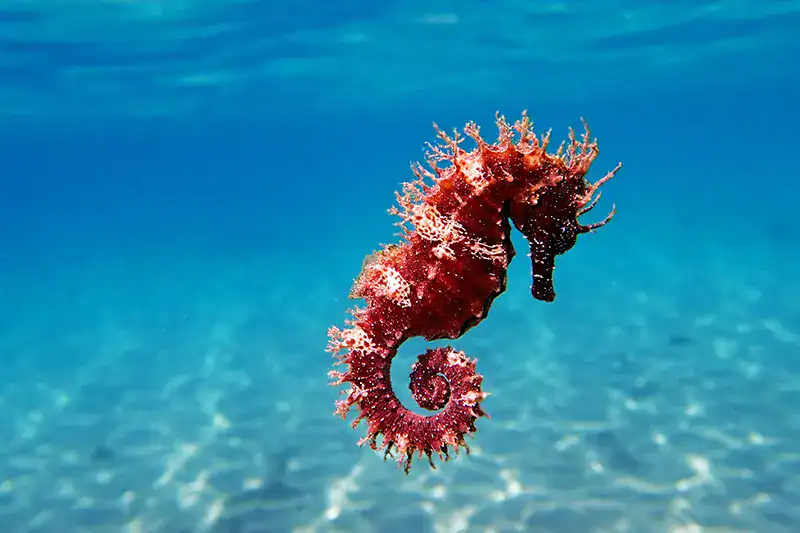
To take great underwater photos, use a waterproof camera or a smartphone in a good case, make sure you have enough light, and try a few basic photography tips. Get close to your subject, hold your camera steady, and remember that water changes how colors and sharpness appear.
The Basics of Underwater Photography
Underwater photography can be a lot of fun, but it can also make a perfectly good photographer wonder what happened to all those beautiful colors. Once you go underwater, things change. Light behaves differently, colors disappear, and even clear water can make your photos look blurry or dull.
But you don’t need to be a pro or own fancy gear to take great underwater photos. You might already have a camera that works. In fact, if you have a smartphone, you’re already halfway there, provided you don’t mind putting it in a waterproof case first.
With a smartphone, a waterproof case, or a simple underwater camera and a few easy tips, you can get great shots at the pool, while snorkeling, or on your next beach trip.
Start With the Camera You Already Have
There are several ways to take underwater photos, and you don’t always need special equipment.
- Smartphone: Many newer smartphones can take good photos in and around water, especially in shallow, bright conditions. But don’t rely only on your phone’s water-resistance rating for regular underwater use. A waterproof case or special housing will protect your phone much better.
- Waterproof compact cameras: These tough cameras are made for use in and around water. They’re a handy choice for swimming, snorkeling, and vacations. Some models also let you take close-up shots or shoot in RAW format.
- Action cameras: These small cameras are popular for underwater photos and videos. They’re tough, easy to carry, and great for wide-angle shots.
- Mirrorless or DSLR cameras with underwater housing: If you’re more experienced, you can use a camera with interchangeable lenses inside a waterproof housing. This setup gives you more control, but you’ll need extra gear and some practice.
If you’re a parent taking photos of your child in the pool, a smartphone in a good case is probably enough. For snorkeling or taking underwater photos more often, a waterproof compact or action camera can be more convenient, durable, and easier to handle.
Taking Underwater Photos With a Phone
A smartphone can take great underwater photos, especially in shallow, clear water with lots of natural light.
The most important thing is to protect your phone. Your phone may be water-resistant, but that doesn’t mean it can withstand being underwater. Water resistance isn’t the same as being made for regular underwater use, and saltwater can damage electronics. Use a waterproof case or housing made for your phone instead of just trusting its water-resistance rating.
For the best results:
- Shoot in bright, natural light.
- Get close to your subject rather than relying on digital zoom.
- Keep the case’s lens area clean and free of water droplets.
- Hold the phone as steady as possible.
- Take several photos. Underwater subjects rarely stay still for long, and if your subject is a child, you know how fast they can move.
- Experiment with different angles rather than simply pointing the camera straight ahead.
- Test your waterproof housing in a sink or shallow water before using it underwater to ensure it is properly sealed and working correctly.
With a bit of practice, you may be pleasantly surprised at the quality of the photos your phone can take underwater.
How Water Affects Color and Clarity in Underwater Photography
Knowing how water changes light is one of the main ways to improve your underwater photos.
- Color absorption: Water absorbs warm colors such as red and orange as depth increases. This is why underwater photos often develop a blue or green cast.
- Backscatter: Tiny particles suspended in the water can reflect light back toward the camera, creating distracting spots or specks in your photos.
- Reduced visibility: Even clear water isn’t as transparent as air. The more water between you and your subject, the more color, contrast, and detail you lose.
The easiest way to fix many of these issues is to get closer to your subject. Underwater is not the place to practice your long-distance photography skills. With less water between your camera and what you’re photographing, your photos will usually look clearer and have better color.
Best Camera Settings for Underwater Photos
If you’re using a phone or a simple waterproof camera, you might not be able to change many settings, and that’s okay. Focus on taking the photo rather than stressing over technical details. If you’re trying to photograph a child doing an underwater somersault, you probably don’t have time to worry about f-stops anyway.
If you’re using a more advanced camera, these settings provide a useful starting point:
- Shoot in RAW: RAW files preserve more image information and give you greater flexibility when correcting color and exposure later.
- White balance: A custom underwater white balance can help produce more natural colors. If you shoot in RAW, you can also adjust white balance during editing.
- Shutter speed: A faster shutter speed helps freeze moving fish, swimmers, or other subjects. Around 1/125 second is a reasonable starting point for moving subjects.
- Aperture: With a dedicated camera, an aperture around f/8 can provide a useful balance of sharpness and depth of field, although the best setting depends on your lighting and subject.
- ISO: Keep ISO as low as practical to reduce image noise, particularly when you have plenty of natural or artificial light.
For casual underwater photos, it’s more important to have good light, get close to your subject, and hold your camera steady than to worry about manual settings.
Best Composition Techniques for Underwater Photos
Underwater composition uses many of the same ideas as regular photography, with a few extra tips.
- Shoot upward when possible. Aiming slightly toward the surface can create a brighter background and make your subject stand out.
- Try the rule of thirds. Rather than placing your subject right in the center, place it slightly to one side. This can make your photo look more interesting.
- Get on the same level as your subject. An eye-level photo of a child, fish, or swimmer often feels more engaging than one taken directly above.
- Look for natural frames. Pool ladders, rock formations, coral, and other objects can help frame your subject and add depth.
- Get close to your subject. This is one of the best tips for underwater photos. Being closer means there’s less water between your camera and your subject, which helps colors and sharpness.
- Take lots of photos. Underwater subjects move, bubbles pop up, and the light changes fast. Don’t be afraid to take many shots so you can pick your favorites later. In other words, keep hitting that shutter button, then delete, delete, delete later.
How to Edit Underwater Photos
You don’t need pricey photo software to make your underwater pictures look better.
If you’re using a phone, start with the editing tools it already has. Most phones let you change brightness, contrast, color, highlights, shadows, and saturation with just a few taps. Free apps and simple computer programs can also help with these edits.
If your underwater photo makes everyone look like they’re auditioning for a Smurf movie, don’t panic. You probably don’t need a professional photo editor, just a little help with the color.
For a quick underwater photo makeover:
- Correct the color. If the photo looks excessively blue or green, adjust the warmth or color balance.
- Increase brightness if needed. Underwater photos can look darker than expected.
- Add a little contrast. This can help restore some of the definition lost through the water.
- Adjust saturation carefully. A small boost can bring back some color, but too much can make people, fish, and other subjects look unnatural.
- Crop the image. Cropping can eliminate distracting areas and bring more attention to your subject.
If you’re more experienced, you can use programs like Adobe Lightroom or other professional editing software, but you don’t need them for everyday underwater photos.
Tips for Staying Safe While Shooting Underwater
Taking photos underwater can be distracting and risky. Keep these safety tips in mind:
- Put safety first. Don’t get so focused on taking a photo that you forget what’s happening around you.
- Practice in a pool first. If you have a new waterproof camera or case, get used to using it before you try it in open water.
- Don’t touch coral or marine life. Give wildlife plenty of space and don’t disturb it.
If you’re scuba diving, you need to follow a whole other level of safety rules not covered here.
Take Your Underwater Photos to the Next Level
Learning underwater photography takes time, but you don’t have to learn it all at once. Start with the gear you already have. A smartphone in a good waterproof case is enough for pool photos, and a basic waterproof or action camera is great for snorkeling or vacation shots.
Pay attention to the light, get close to your subject, try different angles, and take plenty of photos. As you improve, you can experiment with more advanced cameras, lighting, settings, and editing.
Don’t worry if your first few pictures aren’t magazine-worthy. The goal is to capture the moment; sometimes the slightly blurry, bubble-filled photo is the one you’ll treasure the most.
The ocean, a swimming pool, and even a backyard pool party are great places to take underwater photos. With a little practice and a willingness to delete the lousy shots, you can get colorful, sharp pictures you’ll want to share.
FAQs: Capturing Underwater Photos
Q: Can I take underwater photos with my phone?
Yes. Many newer smartphones can take good underwater photos in shallow, well-lit conditions. For protection, however, use a waterproof case or housing designed for your phone rather than relying solely on its water-resistance rating. A phone is particularly useful for casual pool photos and shallow-water photography.
Q: What is the best camera for beginner underwater photography?
There isn’t one best camera for everyone. A properly protected smartphone is an easy starting point for casual photography. Waterproof compact cameras and action cameras are good options for people who plan to spend more time snorkeling, swimming, or photographing underwater. More advanced photographers may prefer a mirrorless or DSLR camera with a dedicated underwater housing.
Q: How deep can you take underwater photos without a special housing?
The answer depends on the equipment. Waterproof cameras and cases have specific depth ratings, which can vary considerably. Always check the manufacturer’s rating before submerging your equipment, and don’t assume that a phone’s water-resistance rating makes it appropriate for prolonged or repeated underwater use.
Q: Why do my underwater photos look blue or green?
Water absorbs warm colors, such as red and orange, as light travels deeper through it. As those colors disappear, underwater scenes take on a blue or green appearance. Shooting in shallow, well-lit water, getting close to your subject, using an underwater light, or correcting the color during editing can all help.
Q: How do I reduce backscatter in underwater photos?
Backscatter is caused by light reflecting off particles suspended in the water. Getting closer to your subject reduces the amount of water between the camera and the subject. If you’re using an external strobe, positioning it off to the side rather than pointing it directly at the subject can also reduce backscatter.
Q: What is the best time of day for underwater photography?
Bright daylight is generally helpful for shallow-water photography because more natural light reaches your subject. Conditions such as water clarity, depth, weather, and the angle of the sun can also affect your results. Rather than focusing on a specific hour, look for clear water and plenty of available light.
Q: Can I edit underwater photos without expensive software?
Absolutely. Your phone’s built-in editing tools may be all you need to improve a casual underwater photo. Free photo-editing apps and basic computer programs can also adjust brightness, contrast, and color, as well as crop photos. More advanced programs, such as Adobe Lightroom, offer additional control, but they’re not necessary for most beginners.
Q: Is underwater photography expensive to get into?
It doesn’t have to be. You can start with a smartphone and a suitable waterproof case, or use a basic waterproof or action camera. More advanced setups involving interchangeable-lens cameras, underwater housings, lenses, and external lighting require a much larger investment. The best approach is to start with the equipment you have and upgrade as your interests and skills grow.
Leave A Comment